Sample Vibe Test Report

This is what you receive after a Vibe Test. Real human feedback, prioritized issues, and actionable suggestions.

This is a real Vibe Test report. Client details anonymized for privacy.

Vibe Test Report

Project: MarketingGenie

Date: February 10, 2026

Time Spent: ~1h 45m

1. Overview

The idea and intent of the product are clear, but several friction points may impact trust and usability, especially on mobile. Most issues fall into mobile layout, validation gaps, and a few functional blockers.

Critical Update: Two critical UX failures were identified that can lead to significant data loss or application lock-up.

2. Vibe & Resilience Score

  • Survives Impatience 6/10
  • Handles Mistakes Well 5/10
  • Feels Responsive 8/10
  • Mobile Proof 4/10

3. CRITICAL Issues

#1 Unsaved progress is lost immediately on navigation

Observation
During the long ad creation wizard, clicking the browser 'Back' button or accidentally refreshing the page wipes all entered data immediately. There is no 'draft' state or confirmation prompt.
Impact
Users lose 10-20 minutes of work instantly. This is a high churn frustration point.
Suggestion
Implement reload confirmation or auto save to local storage.
Videohttps://drive.google.com/file/d/1Zq6OCnjS_2d9Xk...

#2 Application 'soft-locks' when generating with 0 credits

Observation
Attempting to click 'Generate' when the credit balance is zero puts the app into an infinite loading state. The user cannot close the modal, navigate away, or log out.
Impact
The app becomes unusable until the user manually refreshes the browser.
Suggestion
Add a check for credit balance before initiating the generation request.
Videohttps://drive.google.com/file/d/1Xp8MDbkL_9m2Yn...

4. High Impact Issues

#3 Mobile navbar and drawer overlap

Observation
On mobile, there is no background blur or solid background for the navbar and drawer. This causes the logo in the top right and the drawer contents to overlap the text content below.
Impact
This affects first impression and readability immediately on page load.
Suggestion
Add background blur or a solid background to the navbar and drawer on mobile.
Evidence for issue #3

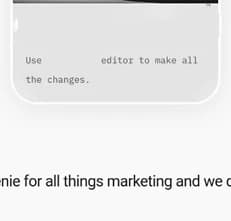
#4 Scrollable marquee heading causes missed content
Observation
The heading "Your genie for all things marketing..." starts scrolling as soon as it enters the viewport. On desktop, the content does not scroll correctly and is partially rendered off screen.
Impact
Users miss the beginning of the message and the behavior feels broken rather than intentional.
Suggestion
Keep this as static text and remove the marquee scrolling effect entirely.
Evidence for issue #4

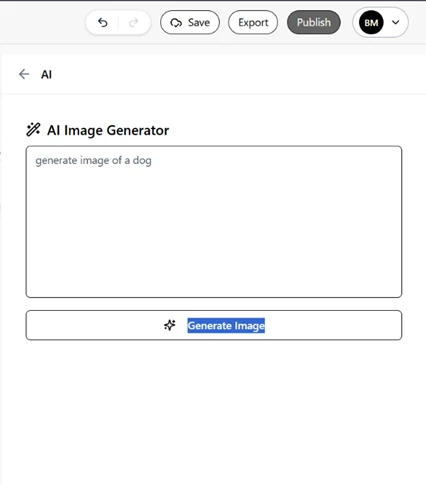
#5 AI image generation does not work

Observation
AI image generation shows a “generating” state but never produces an image or an error message.
Impact
This is a core feature and currently appears broken to users.
Evidence for issue #5

#6 Signup error for email login

Observation
Signup returns “Resource not found” for email login.
Impact
This blocks Email signup completely.

#7 Mobile accessibility issues across the web app
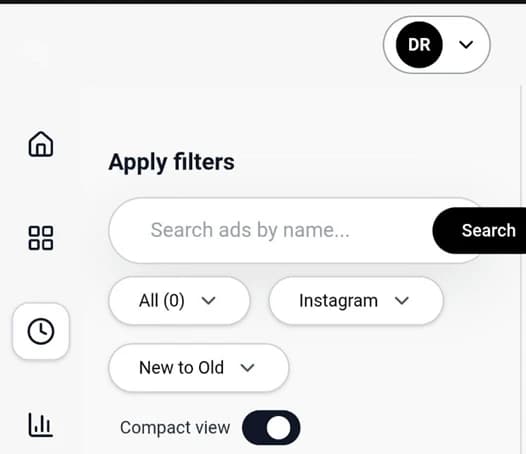
Observation
Inside the app dashboard, Multiple components overflow on mobile. Some buttons and inputs are inaccessible, especially in landscape orientation.
Impact
Mobile users may not be able to complete key actions.
Evidence for issue #7

5. Medium Impact Issues

#8 Editor layout could use improvement

Observation
The editor works functionally, but the layout feels a bit cramped and could be improved for clarity and ease of use.
Impact
This is where users spend a lot of time. Small layout improvements here would reduce cognitive load and make iteration faster.
Note
This is not blocking, just an area with clear room for refinement.
Videohttps://drive.google.com/file/d/1Zq6OCnjS_hKnGL...

#9 Cannot return to ad creation loading screen

Observation
When an advertisement is being created and is on the loading or processing screen, if the user exits that screen there is no way to return to it.
Impact
Not critical since results appear later, but it can cause momentary confusion and loss of context.
Note
This is not a major issue, but could be improved if users frequently navigate away mid-process.

#10 Text overlap with wave design on mobile
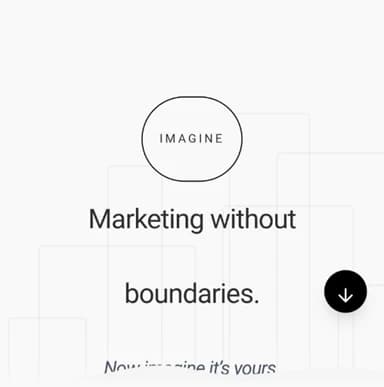
Observation
The text “Now imagine it’s yours.” is overlapped by the wave design below it on mobile devices.
Evidence for issue #10

#11 Footer support email overflows on mobile
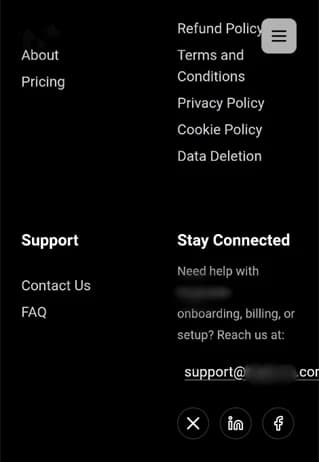
Observation
The support email in the footer overflows its container on mobile.
Evidence for issue #11

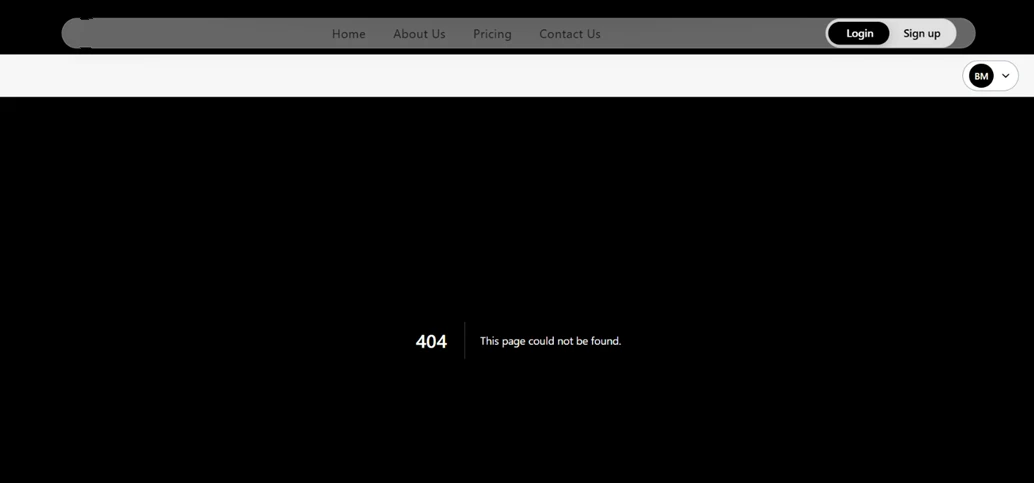
#12 FAQ link returns 404

Observation
The FAQ link in the footer redirects to /faq which returns a 404 not found.
Impact
On the 404 page, the login and signup buttons do not work, with some UI issues in the Navbar.
Evidence for issue #12

#13 Calendar preview layout shift

Observation
The calendar preview causes layout shifts (when the months have 6 days of Rows) and the bottom corners of the widget reveal the edges of the container.
Videohttps://drive.google.com/file/d/7hjWD6wv_bfw3Kx...

#14 Login button flicker and state refresh

Observation
The login button causes a slight layout shift when state refreshes.
Note
• No visible protection against temporary or fake email addresses. • No cooldown or rate limiting to prevent login or signup button spam
Videohttps://drive.google.com/file/d/1TANqvWE_7jD3Rz...

6. Low Impact / Polish Issues

#15 Minor alignment issue on Privacy Policy page
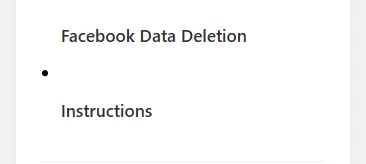
Observation
Bullet alignment breaks on mobile due to a long title (“Facebook Data Deletion Instructions”).
Evidence for issue #15

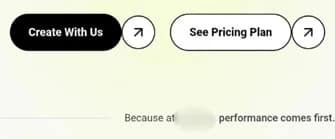
#16 Padding issue on tagline text

Observation
The text “Because at MarketingGenie, performance comes first.” needs right padding on mobile for better visibility.
Evidence for issue #16

#17 Minified React error in console

Observation
A minified React error is visible in the console.

7. Validation & Security

#18 Input fields allow unrestricted characters

Observation
Fields like brand name and title allow long entries and arbitrary characters.
Impact
Client-side constraints improve UX and data quality.

#19 Image upload allows very large files

Observation
Uploads allowed for files > 80MB.
Suggestion
Enforce max file size check.

#20 Domain is spoofable (missing SPF and DMARC)

Observation
No SPF or DMARC records were found for the domain.
Impact
Impacts email deliverability and opens the door to phishing or impersonation.
Suggestion
Set up SPF and DMARC records for the sending domain.

8. Final Verdict

Overall, the product idea is clear and promising. Most issues are related to mobile usability, validation, and polish. However, critical edge-case failures (data loss and soft-locks) were identified that will lead to severe user frustration and must be fixed immediately.

Note: The user interface of this online demo may differ from the original PDF/Document report delivered to clients. In this demo report, screen recordings and direct URLs have been removed for client privacy. Full reports include the video evidence for issues.

Ready to get your own report?

Back to Dashboard